







Microsoft Visio Professional 2021: Creating professional and informative diagrams
With Microsoft Visio Professional 2021, you can create informative diagrams in just a few steps. Numerous professional features are included with which you can prepare and present even complex information in an easy-to-understand way.
Microsoft has added many new features in the latest version. These include updated forms, templates and styles. So, all you have to do is add or import your data and information. Visio Professional 2021 will take care of the rest and present them in an attractive way.
Visio Professional 2021 is suitable for both individuals and teams. On demand, you upload all your important data to a cloud and create and edit diagrams together. Changes are applied in real time and are immediately displayed on all other screens.
Features of Visio Professional 2021
It’s never been easier to create, optimise and maintain diagrams in just a few steps. Sharing with other people and teams is also quick and easy.
Access the many templates, shapes and styles included. They’ve been updated with this release, so you can make your diagrams visually appealing and professional.
Check created diagrams against current industry standards. These include BPMN 2.0 and UML 2.5, among others.
Link charts to live data from internal or external sources as required.
Add anyone to a project for collaborative, real-time editing. For important information, notes and suggestions, use the “comments” feature.
Use the built-in database model diagrams to create database visualisations.
If you wish, it is also possible to make entries in Visio Professional 2021 using touch. Use your finger or a digital input pen to create notes or drawings, for example
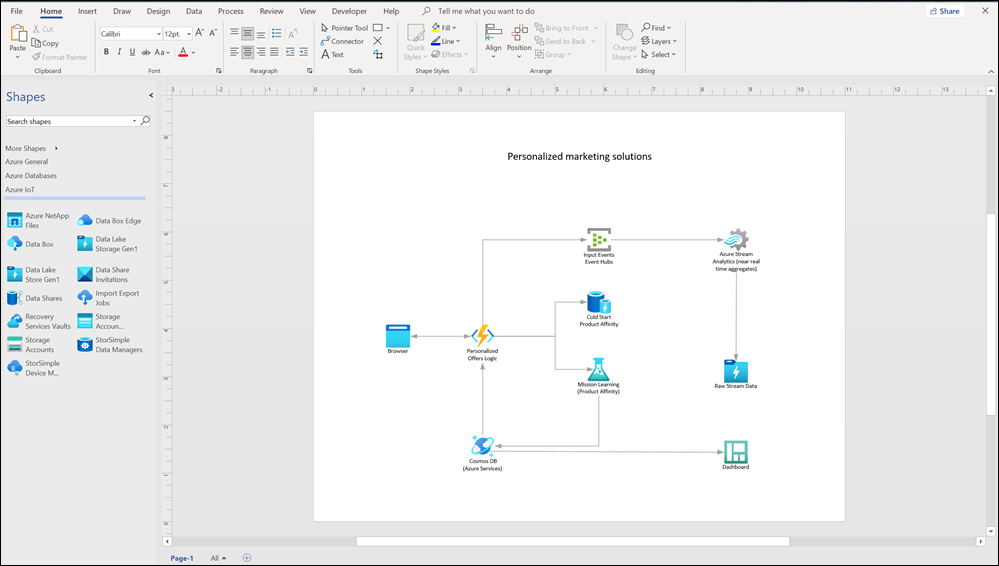
Included are:
Microsoft Access databases
Microsoft SharePoint Foundation lists
Microsoft Excel workbooks
Microsoft Exchange Server directories
Microsoft SQL Server databases
OLEDB or ODBC data sources
Azure Active Directory information: new model
NEW: Social distancing in the workplace
Visio 2021 Professional System Requirements
- Processor: Dual core processor with at least 1.6 GHz or faster
- Working memory (RAM): 4 GB
- Hard disk space: 4 GB
- Graphics card / monitor: Graphics card with DirectX 9 or higher and WDDM 2.0 support; resolution of 1280 x 768 pixels; 32-bit systems require hardware accelerated playback of at least 4K.
- Operating system: Windows 11, Windows 10, Windows 10 LTSC 2021, Windows 10 LTSC 2019, Windows Server 2022 or Windows Server 2019.
- Other requirements: An Internet connection is required for activation and Internet functions








Reviews
There are no reviews yet.